When the holiday peak ends, your team has just run the most realistic load test of the year, with real customers, real dependencies and real money on the line. Nobody would throw away the results of a test that expensive, yet that is exactly what happens when the review slips into January and people go on leave. This guide covers blameless reviews, finding near misses in your monitoring data, turning findings into finished work, and lifting the change freeze without causing the outage you spent all season avoiding.
Holiday Readiness series, part 8 of 8. Not sure where to start? Take the free Holiday Readiness Assessment and get a prioritized checklist by email.
Direct Answer
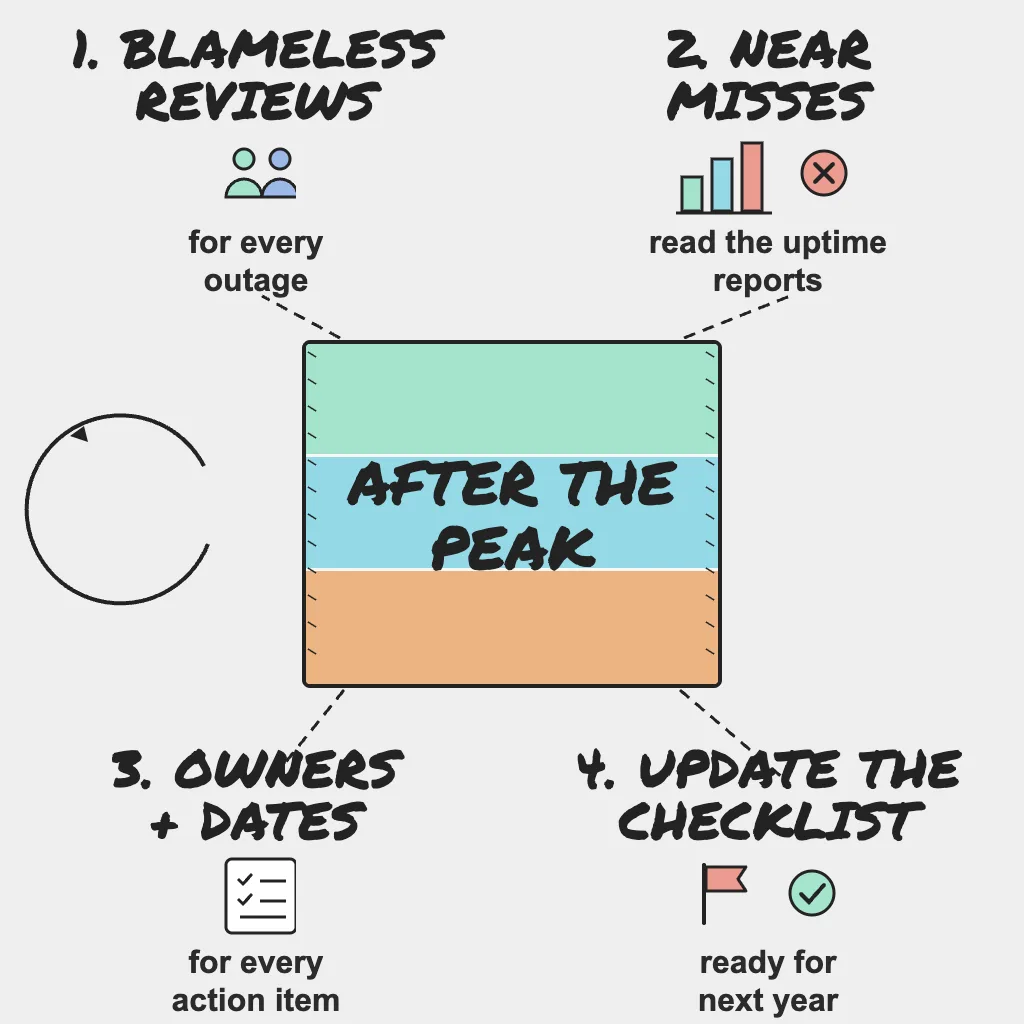
- Hold a blameless review for every outage, however small, while memories are fresh.
- Review uptime and response-time reports for near misses, and export peak data before retention expires.
- Give every action item one owner and a due date.
- Update your checklist, runbooks and baselines for next year.
- Unwind the freeze gradually, saving migrations and DNS changes for last.
Why This Matters
Teams that skip the post-peak review tend to repeat the same incidents next year. The quota nobody raised, the certificate renewed with a day to spare and the job that silently stopped will still be there next November unless someone writes them down and fixes them.
Many of the best improvements come from incidents that almost happened, but only if you look for them.
Run Blameless Reviews for Every Outage
Schedule them quickly
Hold reviews within a week or two of each incident. Incidents from the busiest days can be reviewed together just after Cyber Monday, but do not let them slide into the new year. Book the time before peak.
Export what you need first. Metrics, logs and traces from the peak may age out of their retention windows before the review happens, so save the dashboards and raw data for your busiest days while they still exist.
Keep the focus on systems
A blameless review asks why an action made sense at the time, not who got it wrong. That is what surfaces the real contributing factors: a missing alert, an unclear runbook, a dashboard nobody knew existed.
Use a consistent structure
- Timeline, built from alert history, the incident channel and your incident timeline.
- Customer impact: what broke, for whom and for how long.
- Detection: did a monitor find it, or did a customer?
- Response: what worked and what slowed responders down.
- Contributing factors, what went well and where you got lucky.
- Action items.
Detection is the most revealing question. If a customer told you about an outage before your monitoring did, that is a gap to close before next season. "Where we got lucky" is the second most revealing: luck is not a control, and it rarely shows up twice.
Review the small ones too
A two-minute checkout error or a regional slowdown deserves a short write-up. Small incidents often share causes with big ones and are cheaper to learn from.
Find the Near Misses in Your Monitoring Data
A near miss is a moment when you came close to an outage and did not have one. Because nothing was declared, they rarely get reviewed, yet they are where next year's incidents start.
Where to look
- Response-time reports for revenue-critical pages: when did latency approach your threshold?
- Checks that failed in one region but passed confirmation elsewhere, which can point to routing, DNS or CDN problems.
- Multi-step checkout checks where a single step slowed down.
- Heartbeat monitors for jobs that ran late or only just made their window.
- Certificates, domains or API keys renewed at the last minute.
- Quota, rate limit, connection pool and autoscaling usage near its ceiling.
- Third-party services that degraded, even briefly.
If you use PingAlert, start from check history and incident timelines for your busiest hours, and line them up against your own capacity metrics.
Review the alerts themselves
List every page sent during the season and ask of each one: was it real, was it actionable, and did it reach the right person? Pages nobody acted on are noise that trained people to ignore the pager. Fix or demote them now, while the evidence is fresh.
Ask what would have happened at twice the load
For each near miss, ask what would have happened if traffic had doubled or the spike had lasted an hour longer. If the answer is "we would have gone down", review it like an incident.
Compare reality with your plan
Line up the real peak against your load test results. Did the first component to strain match the prediction? Gaps between plan and reality are some of your most useful findings.
Turn Findings into Action Items That Get Done
Reviews fail when their action items fade away. A few rules help:
- Give every item one named person as owner, not a team, plus a due date.
- Track it in your normal backlog, not only in the review document.
- Prioritize preventing repeat customer-facing outages, then faster detection, then toil.
- Keep the list short. A handful of finished items beats a long list nobody touches.
- Check progress monthly, and again before next year's preparation starts 4 to 6 weeks before peak.
| Finding | Weak action item | Strong action item |
|---|---|---|
| Checkout slowed when recommendations lagged | Improve recommendations | Add a timeout and kill switch for recommendations on checkout, with an owner and due date |
Field note: The engineers who raised a quota in October, rehearsed a restore or rewrote a runbook rarely appear in an incident timeline, because their work is why there was no incident. Name that quiet preparation in the review and thank the people who did it; readiness is a team sport, and teams repeat what gets recognized.
Update the Checklist for Next Year
Your holiday readiness checklist should get better every year. Before the details fade:
- Add an item for every gap the reviews found, and drop items that did not help.
- Record the real dates: load testing finished, freeze start and end, actual peak days.
- Record actual peak traffic so next year's 2 to 3x load test target starts from a real number.
- Update runbooks with what responders actually did.
- Refresh the dependency map, escalation contacts and on-call details.
Store it where the team will find it when preparation starts again next autumn.
Field note: Teams that came through the move to cloud, and now to AI, learned the same lesson twice: changing how people work matters more than the tool you adopt. Holiday readiness is no different. It is an operating rhythm that starts every autumn and ends with this review, not a dashboard you build once.
Unwind the Freeze Safely
The weeks after the freeze are risky: a backlog of changes, people returning from leave, and everyone eager to ship. Treat the thaw as a planned rollout:
- End the freeze after the periods that still matter to your business, such as returns, gift card redemptions and January sales.
- Announce the end date and the order in which changes will go out.
- Run a no-op deploy first. Pipelines, runners and deploy credentials that sat idle for weeks can fail in surprising ways, and it is better to learn that without a real change riding on it.
- Ship critical and security fixes first, then small low-risk changes, then upgrades, migrations and DNS changes, each scheduled on its own.
- Deploy in small batches and keep requiring a tested rollback plan.
- Keep peak-season monitoring, alerting and on-call coverage in place through the thaw.
The change freeze guide explains how the freeze was set up, which helps when lifting it.
Who Owns What
- SRE: facilitates blameless reviews, exports peak data, reviews alert quality and pulls uptime and response-time data for near-miss analysis.
- DevOps: sequences the freeze thaw, enforces rollback plans and keeps the log of changes shipped during the freeze.
- Platform: compares capacity and quota usage against actual peak and records baselines for next year.
- Product: prioritizes action items against the roadmap, reviews how shedding decisions played out and approves the order of feature releases during the thaw.
Practical Checklist
- Book post-peak review time before the season starts.
- Export peak metrics, logs and dashboards before retention expires.
- Hold a blameless review for every outage, including short and partial ones.
- Flag any incident customers found before your monitoring did.
- Review uptime, response-time, heartbeat, SSL and quota data for near misses.
- Review every page sent and fix or demote the ones nobody acted on.
- Compare actual peak behavior with load test predictions.
- Give every action item one owner and a due date, tracked in the backlog.
- Update the checklist, runbooks, dependency map and contacts, and record actual peak traffic.
- Announce the freeze end date and backlog order, starting with a no-op deploy.
- Ship in small batches, saving migrations and DNS changes for last.
Reader Questions, Answered
How soon after the holiday peak should we hold post-incident reviews?
Within a week or two of each incident, and before the end of the year at the latest, while people still remember the details.
What is a near miss in website monitoring?
An event that came close to causing an outage but did not, such as a response time that nearly crossed its threshold or a job that only just finished in time.
What makes a post-incident review blameless?
It focuses on the conditions and information that shaped decisions rather than on who made a mistake, so people share what really happened.
When should the holiday change freeze end?
After the last period that still matters to your business, which for many retailers includes returns and January sales. Lift it in stages, starting with small, low-risk changes.
Wrap Up
The holiday season already paid for its lessons; the review is how you collect them. Review every outage, look hard at near misses, give each fix an owner and a date, thank the people whose preparation kept things quiet, and lift the freeze carefully. Next year's peak starts the day this one ends. Ready to start planning? Take the Holiday Readiness Assessment.
Holiday Readiness Series
- The peak-season reliability playbook
- When third-party providers fail at peak
- Capacity: quotas, connection limits and rate limits
- Change freeze and release safety
- Holiday website monitoring checklist
- On-call, runbooks and incident communication
- Unexpected traffic: load testing and graceful degradation
- After the peak: post-incident reviews (you are here)
Previous: Unexpected traffic: load testing and graceful degradation · Start over: The peak-season reliability playbook
Related guides:
Sources and references
- This post is based on PingAlert's holiday readiness checklist and holiday website monitoring guidance.
- Google SRE Book: Postmortem Culture, Learning from Failure
- Google SRE Workbook: Postmortem Culture