Monitoring tells you something is wrong. People decide how long it stays wrong. Over the holidays those people are harder to reach, teams are thin over long weekends, and incidents land on the most valuable days of the year. This post covers the human side of holiday readiness: on-call coverage, runbooks, decision authority, staffing for peak days, and how to communicate when something breaks. None of it is exotic, and all of it is easier to set up in November than to improvise on Black Friday.
Holiday Readiness series, part 6 of 8. Not sure where to start? Take the free Holiday Readiness Assessment and get a prioritized checklist by email.
Direct Answer
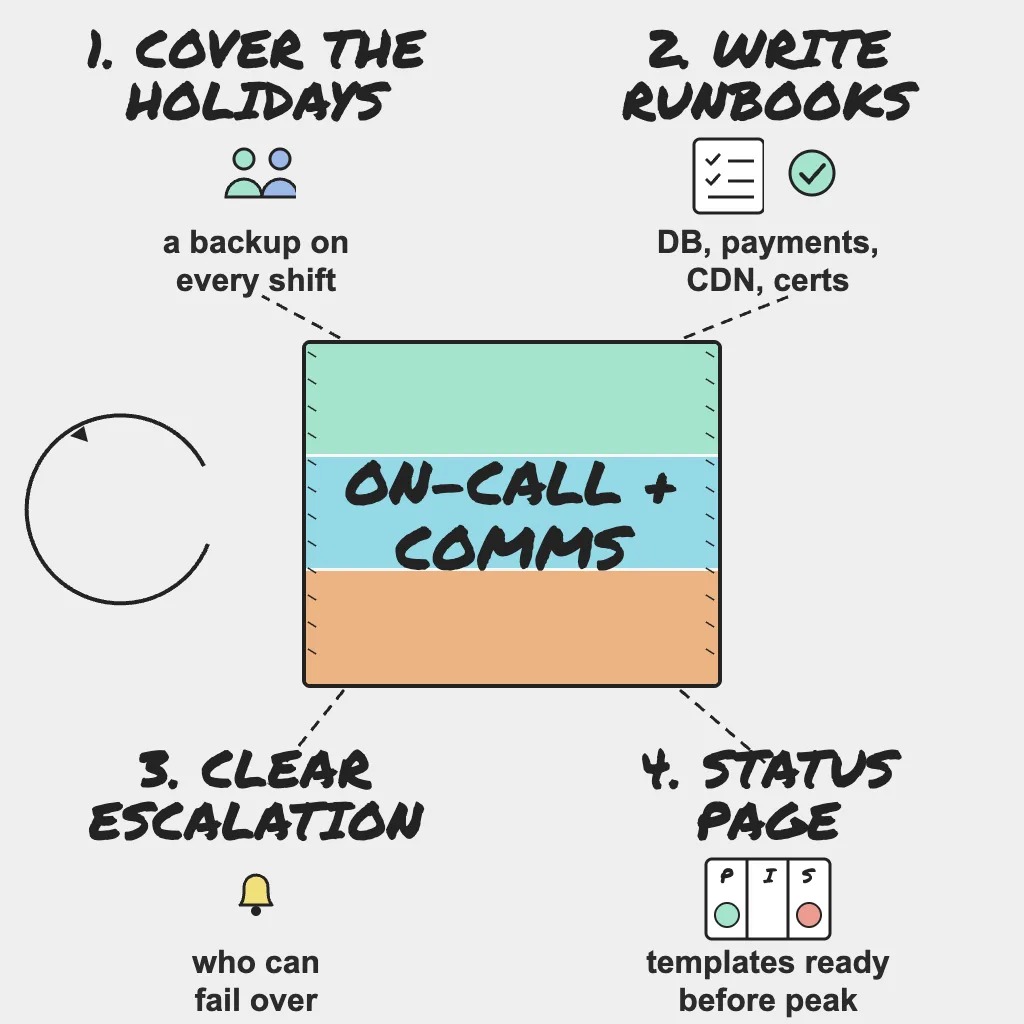
To staff the holiday peak well:
- Publish an on-call schedule with named backups that covers holidays and weekends.
- Write short runbooks for the most likely failures: database overload, payment gateway failure, CDN problems and expired certificates.
- Agree an escalation path and who has authority to fail over or switch off non-essential features.
- Plan extra staffing for Black Friday, Cyber Monday and shipping-cutoff days.
- Set up a public status page, prepare incident message templates, and tell support, social and sales where updates live.
- Define an internal incident channel and incident roles: a lead, and a separate communications owner.
Why This Matters
Much of the time lost in a holiday incident goes on finding the right person, working out what they are allowed to do, and deciding what to tell customers, not on the fix. Each delay is avoidable with a few hours of preparation. Communication matters as much as the fix: when checkout fails at peak, silence sends customers to support, social media and competitors.
On-Call Coverage That Survives the Holidays
Publish the schedule with backups
Publish the on-call schedule for the whole season now. Every shift needs a primary and a named backup who is actually reachable.
- Cover holidays and weekends explicitly; they are where gaps hide.
- Collect planned absences and travel before the schedule is final.
- Keep shifts short enough that people stay sharp during peak days, and write a short handoff note at every shift change.
- Confirm every on-call person has working access from wherever they will be: VPN, cloud console, admin tools, the MFA device that lives on their desk, and any break-glass credentials.
Field note: Holiday on-call is a people problem before it is a tooling problem. Spread the peak days fairly, make sure nobody is the only person who can fix something, put authority in writing so nobody has to guess, and schedule real rest after the season. A rested engineer reasoning clearly beats an exhausted hero.
Keep alert routing in sync
A schedule is only useful if alerts follow it. When the schedule changes, update alert contacts the same day and send a test alert. PingAlert routes alerts to Slack, Teams, email, SMS and webhooks, so critical alerts can go to the person on call and lower-severity ones to a shared channel. Checks and severities are covered in part 5, the holiday website monitoring checklist.
Plan extra staffing for known peaks
Black Friday, Cyber Monday and the last shipping-cutoff days are predictable. Put more than one engineer on call for those windows, with someone from each critical area (payments, platform, frontend) on standby, and agree when the extra cover starts and ends.
Runbooks for the Failures You Can Predict
A good holiday runbook fits on one screen and answers four questions: how do I confirm the problem, what do I do first, who do I call, and how do I know it is fixed. Mark which steps are safe to try alone and which need approval, and note when the runbook was last exercised.
Database overload
- Signals: rising response times, connection pool errors, slow query and lock wait alerts.
- First moves: identify the top queries, pause non-essential background jobs, shed load from non-critical features.
- Escalate to: the database owner and Platform on-call.
Payment gateway failure
- Signals: checkout step failures, errors from the gateway API, a provider status notice.
- First moves: confirm it is the provider and not your integration (a recent deploy or an expired API key looks the same from outside), then switch to a backup provider if you have one.
- Escalate to: the payments owner and whoever holds failover authority.
CDN problems
- Signals: regional failures from some check locations but not others, missing static assets, cache errors.
- First moves: confirm whether origin is healthy, then bypass or switch CDN if that option exists and has been tested. Remember that bypassing the CDN sends full traffic to an origin that may not be sized for it.
- Escalate to: Platform on-call and the CDN provider's support channel.
Expired certificate
- Signals: TLS errors in checks and browsers, SSL expiry alerts that were missed or ignored.
- First moves: renew and deploy the certificate, then check every other hostname, load balancer and CDN edge that uses it.
- Escalate to: whoever owns certificate renewal and DNS.
Link each runbook from the matching alert so on-call finds it in seconds, not by searching a wiki.
Field note: Escalations go well when the runbook, the owner and the evidence are ready before the call starts: the alert history, the timeline so far, what has been tried. At 3 a.m., a plain checklist executed with discipline is worth more than brilliance.
Decision Authority and Escalation
Agree the escalation path
Write down who gets called, in what order, and after how long without an acknowledgment. Include contacts outside engineering, such as the payments owner, vendor support numbers with your account IDs, and whoever speaks for the company publicly.
Decide who can make big calls
Some decisions are too slow to make by committee: failing over to a secondary provider, switching off recommendations or reviews to protect checkout, turning on a waiting room. Agree before the season who can make each call alone, with Product involved, because these are business trade-offs. The load shedding side of this is covered in part 7 on unexpected traffic.
Incident Communication
Set up a public status page
Run a public status page and link it from your site footer and support pages, and make sure it does not depend on the infrastructure it reports on. When customers can see an update, fewer of them open tickets. PingAlert status pages notify subscribers when you post an update, so customers stay informed without individual replies.
Prepare message templates
Write templates now, while nobody is under pressure. Describe impact in customer terms, avoid guessing at causes, and promise a next-update time rather than a fix time:
- Investigating: we are investigating problems with [service]. Next update in 30 minutes.
- Identified: we have identified the cause and are working on a fix. Next update in 30 minutes.
- Monitoring: a fix is in place and we are watching to confirm it holds.
- Resolved: [service] is working normally. We will share a summary of what happened.
Keep support, social and sales informed
Support, social and sales teams should never learn about an outage from a customer. Tell them where updates live (the status page and an internal channel) and give support a holding reply for before the first update.
Run incidents from one channel with clear roles
Open a dedicated internal channel for each significant incident. Name an incident lead who coordinates and decides rather than debugging, and a separate communications owner who keeps the status page and internal stakeholders updated, so the lead is not writing updates while making calls. Keep decisions and timestamps in the channel; an incident timeline makes the post-peak review in part 8 much easier.
Who Owns What
- SRE: owns the on-call schedule, escalation path, incident lead rotation and runbooks for database, CDN and certificate failures.
- DevOps: keeps alert routing in sync with the schedule, verifies on-call access, and maintains rollback and failover procedures referenced by runbooks.
- Platform: owns failover mechanisms (secondary DNS, backup payment provider, CDN bypass) and the technical steps in infrastructure runbooks.
- Product: decides which features can be switched off, holds or shares authority for degradation calls, and owns customer-facing message templates with support.
Practical Checklist
- Publish an on-call schedule with named backups covering holidays and weekends.
- Confirm on-call access, MFA and break-glass credentials from wherever people will be.
- Update alert contacts and send a test alert to every on-call person.
- Write runbooks for database overload, payment gateway failure, CDN problems and expired certificates.
- Link each runbook from the matching alert.
- Agree the escalation path, acknowledgment timeouts and non-engineering contacts.
- Define who has authority to fail over or switch off non-essential features.
- Plan extra staffing for Black Friday, Cyber Monday and shipping-cutoff days, and rest afterward.
- Set up a public status page and link it from the site and support pages.
- Prepare incident message templates for each stage.
- Tell support, social and sales where to find incident updates.
- Define the incident channel, incident lead and communications owner roles.
Reader Questions, Answered
How many people should be on call during Black Friday?
More than on a normal day: at least a primary and a backup, plus named contacts from each critical area during peak windows.
What should a holiday runbook include?
How to confirm the problem, the first actions to take, who to escalate to, and how to verify the fix. Keep it short enough to read in under a minute.
Who should be allowed to fail over or turn off features?
Name specific people before the season, usually the incident lead plus a Product decision-maker. The point is that the call can be made in minutes without a meeting.
When should the first status page update go out?
As soon as customer impact is confirmed. A short "investigating" message with a next-update time is better than waiting until you know the cause.
Wrap Up
Holiday incidents are shorter when the right person is reachable, knows what to do and is allowed to do it, and when customers hear from you before they hear from each other. Write it down now, while everyone is calm, so that on the worst night of the season the plan does the heavy lifting. Take the Holiday Readiness Assessment to check your people and process readiness and get a prioritized checklist.
Holiday Readiness Series
- The peak-season reliability playbook
- When third-party providers fail at peak
- Capacity: quotas, connection limits and rate limits
- Change freeze and release safety
- Holiday website monitoring checklist
- On-call, runbooks and incident communication (you are here)
- Unexpected traffic: load testing and graceful degradation
- After the peak: post-incident reviews
Previous: Holiday website monitoring checklist · Next: Unexpected traffic: load testing and graceful degradation
Related guides:
- Incident management workflow: the first 30 minutes
- Status page incident communication workflow: the first 60 minutes
- Status page best practices
Sources and references
- This post is based on PingAlert's holiday readiness checklist and holiday website monitoring guidance.
- Google SRE Book: Managing Incidents
- Google SRE Workbook: On-Call