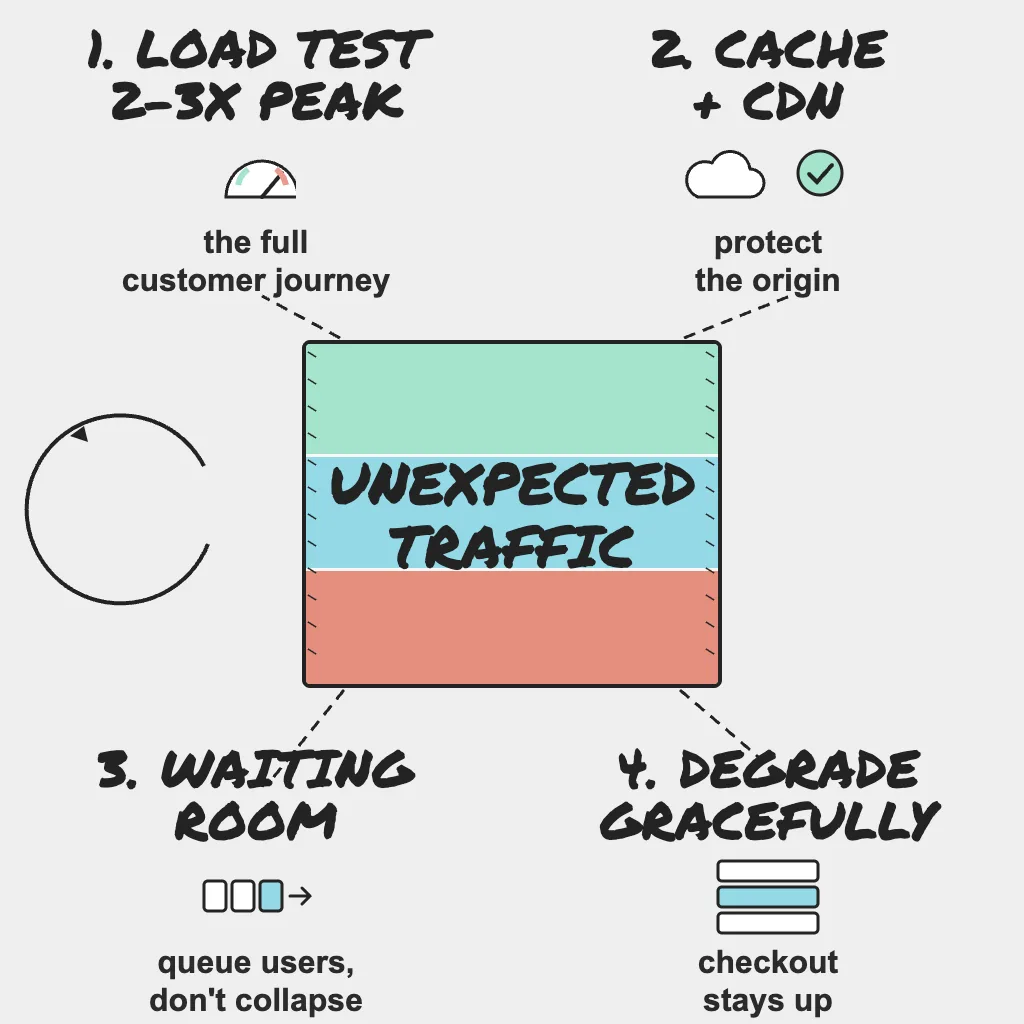
Every holiday capacity plan is a forecast, and forecasts are built from last year. Demand does not read them. A flash sale, a creator mention, a marketing email sent to everyone at once or a wave of bots can push load past your plan in minutes. The teams that ride it out are not the ones with the most servers; they decided in advance what bends, what waits and what switches off. This guide covers load testing for realistic peaks, absorbing unplanned demand, and protecting checkout when the forecast is wrong.
Holiday Readiness series, part 7 of 8. Not sure where to start? Take the free Holiday Readiness Assessment and get a prioritized checklist by email.
Direct Answer
- Load test the full journey (login, search, add to cart, checkout, payment) at 2 to 3x last year's peak, including a fast ramp and a recovery test.
- Plan for unforecast demand: flash sales, viral spikes, bulk marketing sends, bots and credential stuffing.
- Put a queue or waiting room in front of your busiest paths so excess visitors wait instead of crashing servers.
- Cache static and semi-static content at the CDN.
- Agree a product-owned load-shedding order, so non-essential features switch off before checkout is at risk.
Why This Matters
High traffic is not the problem. Uncontrolled traffic is. When a system tips over under load, it usually fails all at once: connection pools run out, queues back up, clients retry, and healthy services go down with the slow ones. Shoppers who hit a checkout error often buy elsewhere.
A site that slows slightly, queues visitors or hides recommendations for an hour keeps taking orders. Which outcome you get is decided weeks before peak.
Load Test the Journey, Not the Homepage
Set a realistic target
Use 2 to 3x last year's peak as the target, and model the traffic mix from last year's analytics: how many sessions browse, search, reach the cart and check out. A test that only hammers the homepage tells you little about the flows that make money.
Test the shape of a spike, not only a plateau. A sale launch looks like a ramp from normal to peak in minutes, and that ramp exposes autoscaling warm-up, cold caches and connection storms. Add a soak test that holds peak load for hours, since memory leaks and slow queue growth only show up over time.
Script the flows that matter
- Log in, search, add to cart, check out and pay, as one continuous journey.
- Use payment sandbox or test modes, and coordinate with providers before sending them load.
- Write down which third-party calls you stub, because stubs will not reveal real rate limits.
- Generate load from several regions and many source addresses, and tell your CDN and WAF owners, or you will end up load testing your bot protection instead of your application.
Find the breaking point, then test recovery
Run against your most production-like environment. Watch error rate, p95 latency, database connections, queue depth, cache hit rate and autoscaling lag, and make sure the load generator itself is not the bottleneck. Push past your target until something breaks, and record which component failed first. It deserves the first runbook and the first fix.
Then drop the load back to normal and time how long the system takes to recover. Some systems stay broken after the spike has passed, because retries and backlogs keep them overloaded. Recovery time is a number you want to know before Black Friday, not during it.
Finish early enough to fix things
Complete load testing 4 to 6 weeks before peak, leaving time to fix, retest and ship before the change freeze. Many breaking points are quotas and connection limits, covered in the capacity guide.
Plan for Demand You Did Not Forecast
Flash sales and marketing sends
An email sent to your full list at once sends a burst of visitors to one landing page within minutes. Ask marketing to send in batches or stagger by segment or time zone, and share the campaign calendar with on-call so they know when spikes are expected.
Viral and influencer spikes
These cannot be scheduled. Make sure the pages most likely to be shared are cacheable, and that on-call can switch on the waiting room in minutes.
Bots, scrapers and credential stuffing
Not all peak traffic is customers. Scrapers, scalper bots, credential stuffing against login and card testing against payment endpoints all tend to rise during sales, because attackers know you are busy. Rate limit login, add-to-cart and payment attempts per client, use your CDN or WAF bot protection, and watch login failure and payment decline rates. Capacity spent on bots is capacity buyers cannot use.
Field note: Headroom has a price, and the time to agree it is before the season, not at 2 a.m. with the site slowing down. Settle the budget for pre-scaling, CDN and bot protection, and usage-billed third-party and AI services up front, so engineers can protect checkout without asking for permission to spend.
Queues, Waiting Rooms and Caching
Waiting room
A queue or waiting room beats letting servers collapse. Decide in advance which signal triggers it (active sessions, checkout concurrency or origin latency), who can switch it on without asking permission, and what customers see. Let shoppers who are already in checkout finish, rather than sending them to the back of the line.
Serve the waiting room from the CDN, not your origin, and test it end to end.
CDN caching
Cache static assets, images and rarely changing pages, with short lifetimes for semi-static content like category pages. Where your CDN supports it, serve stale content while revalidating or when the origin errors, so a struggling origin does not become a blank page. Check cache hit rate during load tests, and check whether tracking parameters on campaign links create separate cache keys, which can quietly send every visitor to your origin.
Move background work off the hot path
Confirmation emails, order exports and analytics events should go through queues so a burst does not block checkout. Queues fail quietly, though: PingAlert heartbeat monitors alert you when an expected job, such as an order export, does not check in on time.
Field note: Peak traffic is also peak data. Order exports, inventory syncs, analytics loads and reconciliation jobs all grow with sales and compete with live traffic for the same databases, so schedule, throttle or pause them during the busiest hours, or the back office will take down the front office.
Graceful Degradation and Load Shedding
Rank every feature
| Tier | Examples | Under heavy load |
|---|---|---|
| Critical | Login, cart, checkout, payment, order confirmation | Keep running at all costs |
| Important | Search, product pages, stock display | Serve from cache, simplify |
| Optional | Reviews, recommendations, personalization, live chat widgets | Switch off first |
Build kill switches and timeouts
Put each optional feature behind a feature flag and test turning it off under load. Add timeouts and circuit breakers so a slow recommendations service cannot hold checkout requests open. When you must reject work, reject it early and cheaply (a fast error with a retry hint) rather than letting requests queue until they time out. Checkout should never wait on an optional widget.
Product owns the shedding order
What to turn off first is a business decision. Product should set the shedding order, document it in the runbook and sign it off before the freeze, so on-call can act at 2 a.m. without hunting for approval. The on-call and runbooks guide covers granting that authority.
Confirm checkout still works while degraded
When you shed load, you need proof the critical path survived. PingAlert multi-step checks that run login, cart and checkout from multiple regions, with confirmation before alerting, tell you whether customers can still buy. If degradation is visible, post a short status page update.
Who Owns What
- SRE: sets load test success criteria and latency thresholds, and owns the waiting room trigger and runbook.
- DevOps: builds the load test pipeline and environments, and ships tested kill switches before the freeze.
- Platform: owns autoscaling and warm-up, connection pools, CDN caching rules, rate limiting, bot protection, batch job scheduling and the waiting room infrastructure.
- Product: sets the load-shedding order, approves degraded experiences and waiting room copy, and coordinates flash sale timing and marketing send schedules.
Practical Checklist
- Load test the full journey at 2 to 3x last year's peak, with a fast ramp and a soak.
- Push past the target, record the first component to fail, and time recovery.
- Finish load testing 4 to 6 weeks before peak and retest after fixes.
- Share the campaign calendar with on-call and stagger large sends.
- Rate limit login, add-to-cart and payment attempts, and enable bot protection.
- Define and test the waiting room trigger, owner and customer message.
- Cache static and semi-static content and check for cache-busting parameters.
- Queue background work, schedule batch jobs away from peak hours and put heartbeat monitors on them.
- Rank features and give every optional one a tested kill switch.
- Get product sign-off on the shedding order before the freeze.
- Run multi-step checkout checks from multiple regions.
Reader Questions, Answered
How much traffic should we load test for before Black Friday?
Plan for 2 to 3x last year's peak across the whole customer journey, then push beyond it to find the breaking point.
Is a waiting room better than autoscaling?
Most teams need both. Autoscaling adds capacity but needs warm-up time and stops at your limits, while a waiting room protects the origin when demand exceeds what you can serve.
Which features should we turn off first under heavy load?
Optional features such as reviews, recommendations and personalization go first, in an order product agrees in advance.
Can we load test in production?
Some teams do, in a low-traffic window with agreement from the business and affected providers. Otherwise, note what your test environment does not reproduce.
Wrap Up
Unexpected traffic is only a crisis when nothing was decided in advance. Test the real journey at realistic peaks, give excess demand somewhere to wait, cache what you can and agree what switches off first. A site that bends on purpose stays up; a site that was never told how to bend breaks wherever it is weakest. Want to see your gaps? Take the Holiday Readiness Assessment.
Holiday Readiness Series
- The peak-season reliability playbook
- When third-party providers fail at peak
- Capacity: quotas, connection limits and rate limits
- Change freeze and release safety
- Holiday website monitoring checklist
- On-call, runbooks and incident communication
- Unexpected traffic: load testing and graceful degradation (you are here)
- After the peak: post-incident reviews
Previous: On-call, runbooks and incident communication · Next: After the peak: post-incident reviews
Related guides:
- How synthetic monitoring helps, and why it is important
- Website and API uptime monitoring priority checklist
- Uptime monitoring runbook to reduce alert fatigue
Sources and references
- This post is based on PingAlert's holiday readiness checklist and holiday website monitoring guidance.
- Google SRE Book: Handling Overload
- Google SRE Book: Addressing Cascading Failures