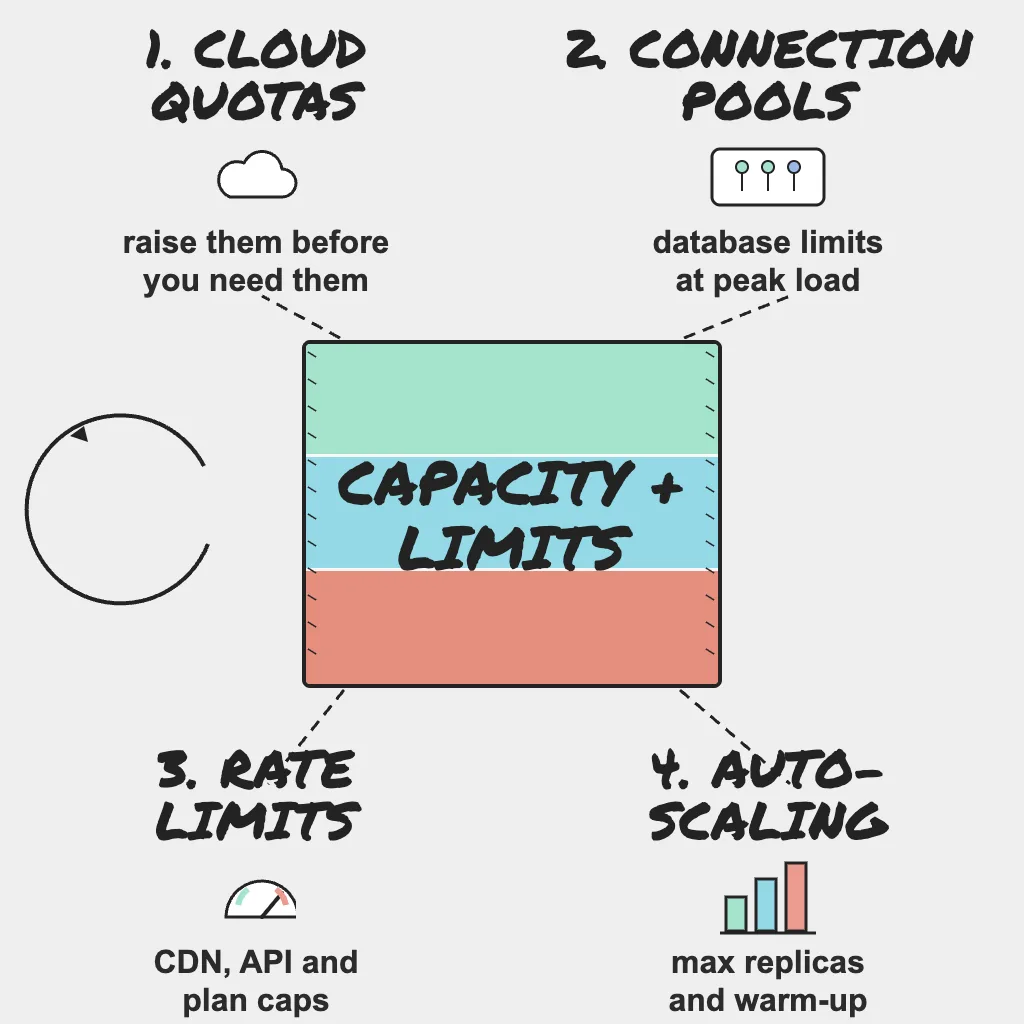
Peak traffic rarely runs you out of servers. It runs you into a number somebody set years ago: a regional vCPU quota, an autoscaling maximum sized for last season, a database connection cap, or a vendor plan's request ceiling. Each of those numbers was a decision, usually made by someone who was not thinking about Black Friday (27 November in 2026). This post, written mainly for platform teams, shows how to find those ceilings before your customers do.
Holiday Readiness series, part 3 of 8. Not sure where to start? Take the free Holiday Readiness Assessment and get a prioritized checklist by email.
Direct Answer
Four to six weeks before peak, build a single inventory of every limit on the customer journey (cloud quotas, autoscaling maximums, database connections, CDN and API rate limits, third-party plan caps, queue and worker throughput, and the OS and network limits underneath them). Record each one's current value, expected demand at 2 to 3x last year's peak, and owner. Raise limits that are too close, alert on the ones you cannot raise, and finish by restoring a real backup and timing it, so you know what recovery actually costs.
Why This Matters
A limit is a cliff, not a slope. Below the ceiling, dashboards look healthy. One request above it, you get throttling errors, pods stuck in Pending or connection refusals, usually at the busiest minute of the year.
Limits are also easy to miss. Staging accounts often have different quotas from production, some limits are scoped per region, subnet or API key so no single dashboard shows them, plan caps live in vendor billing portals engineers rarely open, and quota increases can take days to approve.
Field note: "Elastic" is a contract, and it has terms. Autoscaling sits on top of account quotas, instance availability in your chosen zones, warm-up time and someone else's capacity, so read the terms in October instead of discovering them at the top of a traffic ramp.
Build a Limits Inventory
Start with a spreadsheet, not a tool. One row per limit: component, limit, scope, current value, usage at last year's peak, expected usage at 2 to 3x that peak, owner and action.
Walk the customer journey to fill it: login, search, product pages, cart, checkout, payment confirmation, order emails. For each step, list every service it touches and every limit those services have. A checkout that calls a tax API, a fraud service and an email provider inherits all of their limits too.
Agree a headroom threshold. Any row that comes close needs an action: raise it, design around it, or alert and write a runbook.
Cloud Quotas and Autoscaling
Cloud quotas
Review quotas in every region and project that serves production traffic: vCPU or instance counts, IP addresses, load balancer rules, managed database sizes, serverless concurrency, and API request quotas on managed services. If your disaster recovery plan says "fail over to the second region," that region needs the quota to carry full peak load, not today's idle footprint. Otherwise the plan is a document, not a capability.
File increase requests now, and confirm the new values in the console rather than trusting the ticket status.
Autoscaling rules
Autoscaling only helps if it is allowed to scale far enough, fast enough.
- Check the maximum replica or instance count on every scaling group. A maximum sized for last year's traffic is a hard cap this year.
- Confirm the cluster, node pool and subnet can actually fit that maximum, including IP addresses per subnet when pods get their own IPs.
- Scale on a leading signal such as request rate or queue depth where you can. CPU often lags for I/O-bound services.
- Measure warm-up time: boot, image pull, cache fill and passing health checks. Capacity that arrives after the spike is no help during it.
- Pre-scale for known peaks by raising the minimum ahead of Black Friday, Cyber Monday and big marketing sends, and slow down scale-in so a brief lull does not remove capacity right before the next wave. Pre-scaling costs money, so agree that budget with finance before the season.
Database and Connection Limits
Databases are where many peak incidents start, and connection limits are the usual trigger.
Connection pools
Every application instance opens its own pool, so total connections rise as autoscaling adds instances. Multiply the per-instance pool size by your autoscaling maximum, add workers, cron jobs and admin tools, and compare the total with the database's connection limit. If the total is higher, scaling out the application will take the database down.
Fixes include smaller pools, a connection pooler in front of the database, read replicas for read-heavy pages, and moving reports off the primary during peak. A pooler in transaction mode breaks code that relies on session state (prepared statements, advisory locks), so add it before the freeze, not during.
Capacity beyond connections
Check CPU, memory, disk IOPS and storage growth at last year's peak. Review slow queries and lock waits under load test, because a query that is fine at low volume can serialize every checkout behind one hot row (a popular product's stock count is the classic example). Alert on replication lag, since stale replicas cause confusing stock and order bugs.
Limits below the console
Some ceilings never appear in a cloud console: file descriptor limits, ephemeral ports through a NAT gateway, connection tracking tables, and memory limits that trigger out-of-memory kills under load. Add them to the inventory for your busiest hosts and gateways.
Field note: Scalability problems rarely live in the architecture diagram. They live in pool sizes, lock contention, queue consumers and memory limits, the settings nobody has opened since launch.
Rate Limits, Plan Caps and Queue Throughput
CDN, API and third-party limits
Rate limits exist on both sides. Your own API gateway or WAF may throttle legitimate peak traffic if thresholds were tuned on normal days, and providers throttle you when you exceed your plan.
Check request-rate and monthly caps for the CDN, payment, email and SMS, search, shipping and tax providers. A marketing email that triggers a burst of password resets can exhaust an SMS quota quickly. Ask vendors for temporary increases, and decide what your code does on a throttling response: retry with exponential backoff and jitter, honor any Retry-After header, cap total retries, then queue or degrade. Unbounded retries turn a throttle into an outage. Part 2 covers providers that fail outright.
Queues and workers
Order processing, inventory sync, email and webhooks usually run through queues. Compare worker throughput with the expected arrival rate at peak. If arrivals win, the backlog grows silently while the website looks fine.
Alert on queue depth and oldest message age, watch the dead-letter queue, and know how to add workers quickly without exceeding the database connection budget above. With PingAlert, a heartbeat monitor alerts you when an inventory sync, order export or email job stops checking in on schedule, which catches stalled workers that produce no errors.
Backups and Restore Rehearsal
Capacity readiness includes the capacity to recover. A backup you have never restored is only a hope.
- Confirm recent backups succeeded, including tables that grew this year.
- Restore a recent backup into a separate environment and time it to a working application. That number, not the backup schedule, is your real recovery time, and it grows with your data.
- Check the restore does not depend on someone who will be on holiday or a credential that expires during the season.
- Put a heartbeat monitor on the backup job, so a silent failure in December pages someone instead of surfacing in January.
Who Owns What
- SRE: Defines headroom targets, sets alerts on approaching limits (connections, queue depth, quota usage, response time), and reviews load test results against the inventory.
- DevOps: Owns autoscaling configuration, pre-scaling schedules, warm-up improvements and the backup and restore pipeline.
- Platform: Owns the limits inventory, files cloud quota increases (including the failover region), sizes connection pools and poolers, and negotiates rate limit and plan increases with providers.
- Product: Shares the marketing and sales calendar so known spikes can be pre-scaled, agrees the pre-scaling budget, and decides which features can be throttled first if a limit is reached.
Practical Checklist
- Build a limits inventory for every service on the customer journey, with owners.
- Record current value, last year's peak usage and expected usage at 2 to 3x peak.
- Review cloud quotas in every production region, including the failover region, and file increases now.
- Check autoscaling maximums, warm-up time and scaling signals, and pre-scale (with an agreed budget) before known peaks.
- Compare total database connections at full scale-out with the database limit.
- Add OS and network limits (file descriptors, NAT ports, connection tracking) to the inventory.
- Check CDN, gateway, WAF and third-party rate limits, and cap retries with backoff and jitter.
- Alert on queue depth and message age, and add heartbeat monitors for jobs and backups.
- Rehearse a full restore and time it end to end.
Reader Questions, Answered
How much headroom should we plan for?
Plan for 2 to 3x last year's peak on the full customer journey, with a separate estimate for known spikes such as marketing sends.
Why did our load test pass but production still hit a limit?
Staging often has different quotas, connection limits or stubbed third-party calls. Compare limits side by side before trusting a result.
Is autoscaling enough on its own?
No. It is capped by replica maximums, quotas and the database behind it, and new capacity takes time to warm up.
How do we know a background queue is falling behind?
Alert on queue depth and oldest message age, and use heartbeat monitors on the jobs that drain the queue. A growing backlog is an incident even when the website looks healthy.
Wrap Up
Nobody gets paged for a quota they read in October. Write every ceiling down, raise or design around the ones that are close, pay for headroom on purpose, and prove you can restore before the rush. Every limit gets found eventually; make sure your team finds it first. Take the Holiday Readiness Assessment to see where your team's biggest capacity gaps are.
Holiday Readiness Series
- The peak-season reliability playbook
- When third-party providers fail at peak
- Capacity: quotas, connection limits and rate limits (you are here)
- Change freeze and release safety
- Holiday website monitoring checklist
- On-call, runbooks and incident communication
- Unexpected traffic: load testing and graceful degradation
- After the peak: post-incident reviews
Previous: When third-party providers fail at peak · Next: Change freeze and release safety
Related guides:
- Website and API uptime monitoring priority checklist
- Uptime monitoring runbook: reduce alert fatigue
- Q1 2026 infrastructure reliability report
Sources and references
- This post is based on PingAlert's holiday readiness checklist and holiday website monitoring guidance.
- Google SRE Book: Handling Overload
- Google SRE Book: Addressing Cascading Failures