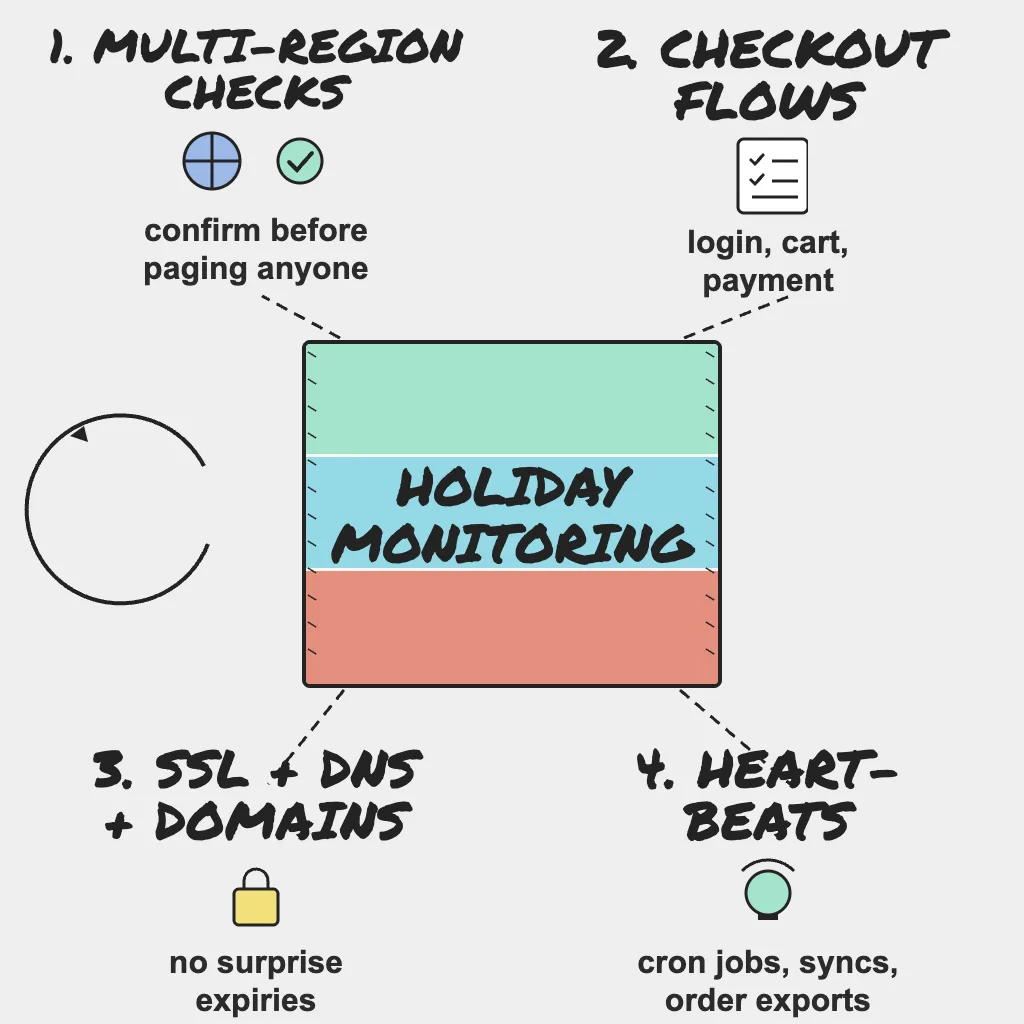
A homepage that returns a 200 status code proves one thing: the homepage returned a 200. It says nothing about whether a customer can log in, find a gift, pay and get a confirmation email. During the holidays, the gap between "the server is up" and "checkout works" is where revenue disappears quietly. This checklist covers the holiday website monitoring SRE teams should have in place before Black Friday (27 November in 2026) and Cyber Monday (30 November), and how to turn those checks into alerts people actually act on.
Holiday Readiness series, part 5 of 8. Not sure where to start? Take the free Holiday Readiness Assessment and get a prioritized checklist by email.
Direct Answer
Effective holiday website monitoring has two halves: detection and alerting. For detection, run:
- Uptime checks on key pages from multiple regions, with content assertions.
- Multi-step monitors for login, search, add to cart, checkout and payment.
- Response-time thresholds on revenue-critical pages.
- SSL certificate, domain expiry and DNS record monitoring.
- Monitoring for third-party APIs such as the payment gateway, shipping and email/SMS.
- Heartbeat monitors for cron jobs, inventory syncs, order exports, email queues and backups.
For alerting, route to multiple channels, require confirmation from more than one location before paging, set severity levels by business impact, send a test alert to every on-call contact, and update contacts for holiday absences.
Why This Matters
Holiday outages tend to come from a short list of causes: traffic beyond capacity, a risky change, an expired certificate, or a third-party service that quietly stopped responding. Each can be detected early if you watch the right signals. At peak, a checkout failure lands in the most valuable hours of the year, and shoppers who hit an error tend to buy elsewhere. Monitoring decides whether your team hears about it from a check or from a customer.
Monitor What Customers Actually Experience
Multi-region uptime checks
Check every key page (home, product, cart, checkout, login) from several regions, from outside your own cloud and CDN. A single location misses regional routing, DNS and CDN edge problems that affect a whole geography.
- Use one-minute check intervals for revenue-critical pages during peak.
- Assert on page content, not just the status code, so an error page served with a 200 does not pass.
- Include the API endpoints your frontend calls, not only the HTML pages.
- Confirm your WAF and bot rules allow your monitors. Teams often tighten bot protection before peak, and a monitor that gets challenged either floods you with false alarms or gets muted.
Multi-step transaction monitoring
Script the flows that make money: log in, search, add to cart, checkout and payment confirmation. These synthetic checks fail when the experience is broken even though every server looks healthy, such as a payment widget that stops loading.
- Use test accounts and products so monitors never create real orders, reserve real stock or skew sales analytics.
- Stop at the last safe step if you cannot test payment safely in production.
- Give each step its own assertion so the alert names the failing step.
Response-time thresholds
Slowdowns usually come before outages: a database nearing its connection limit shows up as rising latency before errors. Set thresholds from each page's normal baseline, not a round number, and alert on sustained slowness across consecutive checks rather than a single slow response, so your team can act while the site is still up.
Watch the Things That Expire and the Things You Do Not Own
SSL, domain and DNS monitoring
Expired certificates and lapsed domains cause some of the most avoidable holiday outages. Enable SSL certificate expiry and domain expiry monitoring for every hostname customers touch, including API, CDN, image and checkout subdomains. Add DNS record checks so a misconfigured or unexpected record change is caught before resolvers cache it. For the full expiry audit (API keys, licenses, payment credentials), see part 2 on third-party dependencies.
Third-party and API monitoring
Your checkout depends on services you do not run: the payment gateway, shipping and tax APIs, email and SMS providers, and identity providers. Monitor the endpoints you call so that when checkout breaks you can tell within seconds whether the problem is yours or theirs. That answer decides whether you fix your code or fail over and communicate.
Field note: Every third-party script on your checkout page is a trust boundary that can change without a deploy from you, and vendors do not observe your change freeze. A multi-step check that completes a real checkout path is often the only thing watching the code you did not ship.
Heartbeat monitors for background jobs
Background jobs fail silently. Nobody gets an error page when the inventory sync stops, but customers start buying items that are out of stock. Add a heartbeat monitor to every job that matters at peak:
- Inventory and price syncs.
- Order exports to fulfillment or ERP systems.
- Email and notification queues (order confirmations, shipping updates).
- Scheduled reports and reconciliation jobs.
- Backups.
A heartbeat expects a ping on schedule and alerts when it does not arrive. Send the ping at the end of a successful run, not at the start, so a job that crashes halfway still alerts. In PingAlert, heartbeat monitors sit alongside uptime, synthetic, SSL and DNS checks, so jobs and customer-facing flows show up in one place.
Make Alerts Actionable, Not Noisy
Monitoring only helps if the right person sees the right alert at the right time. Busy periods make alert fatigue worse, so tune alerts before the season. A useful test for every page: can the person receiving it do something about it right now? If not, it belongs in a channel, not a pager.
Route to multiple channels
Combine SMS, Slack or Teams, and email so one missed notification does not become a missed outage. Critical alerts should reach a person directly, not only a channel that may be muted on a holiday, and should escalate to the backup if nobody acknowledges them.
Confirm before paging
Require a failure to be confirmed from more than one location before anyone is paged. One flaky probe should not wake the on-call engineer at 3 a.m.
Set severity levels by business impact
| Severity | Examples | Response |
|---|---|---|
| Critical | Checkout, payment, login, order export failing | Page on-call immediately |
| High | Search or product pages slow or erroring | Page during staffed hours, notify channel |
| Low | Blog, marketing pages, non-essential widgets | Channel or email only |
A slow blog page should not wake anyone the way a failing checkout should.
Test alerts and update contacts
Send a test alert to every on-call contact and confirm it arrives on every channel. Then update alert contacts for staff changes and holiday absences. PingAlert routes alerts to Slack, Teams, email, SMS and webhooks. Who responds next is covered in part 6 on on-call and runbooks.
Aim to finish all of this four to six weeks before your first major sales date, before the change freeze starts.
Field note: Anomaly detection on response times and error rates is becoming genuinely practical, including with newer machine learning techniques, but it learns from whatever history you give it. Clean baselines, tuned thresholds and alerts people trust come first; without them, a smarter model just finds new ways to page you.
Who Owns What
- SRE: owns the monitoring and alerting plan, check coverage, severity levels, confirmation settings and the pre-season alert test.
- DevOps: adds heartbeat pings to cron jobs and pipelines, and keeps monitors in sync with deployment and DNS changes.
- Platform: exposes health endpoints, provides test accounts and products for synthetic checks, allowlists monitors in the WAF, and owns SSL, domain and DNS inventory.
- Product: defines which user journeys are revenue-critical, agrees severity per journey, and confirms what "working" means for each step.
Practical Checklist
- Add uptime checks on key pages from multiple regions with content assertions.
- Confirm WAF and bot rules allow your monitors.
- Build multi-step monitors for login, search, add to cart, checkout and payment.
- Set baseline-based response-time thresholds on revenue-critical pages.
- Enable SSL certificate expiry monitoring for every customer-facing hostname.
- Enable domain expiry and DNS record monitoring.
- Monitor the payment gateway, shipping, tax, email/SMS and identity APIs you depend on.
- Add heartbeat monitors for cron jobs, inventory syncs, order exports, email queues and backups, pinging on success.
- Route alerts to multiple channels with escalation to a backup.
- Enable confirmation checks from more than one location before paging.
- Define severity levels: critical for checkout and payments, low for blog and marketing pages.
- Send a test alert to every on-call contact and update contacts for holiday absences.
- Finish all of this before the change freeze begins.
Reader Questions, Answered
What should I monitor first if I have limited time?
Start with your checkout and payment flow using a multi-step monitor, then add SSL and domain expiry checks and monitoring for your key third-party services.
How often should uptime checks run during the holidays?
Shorter intervals mean faster detection. For revenue-critical pages and flows, checking every minute is a sensible choice during peak periods.
How do I avoid false alarms during peak traffic?
Require confirmation from more than one region before paging, alert on sustained rather than single slow responses, and route low-severity checks to a channel instead of a pager.
Why are heartbeat monitors important for e-commerce?
Jobs like inventory syncs, order exports and email queues fail without any visible error, so customers notice before your team does. A heartbeat alerts you when an expected run does not happen.
Wrap Up
Most holiday outages are boring in hindsight: a certificate nobody renewed, a dependency nobody watched, a job that stopped without a sound. Monitor the customer journey end to end, watch what expires and what you do not own, and make sure every critical alert reaches a person who can act on it. The goal is simple: your team should never learn about an outage from a customer. Take the Holiday Readiness Assessment to see where your monitoring stands and get a prioritized checklist.
Holiday Readiness Series
- The peak-season reliability playbook
- When third-party providers fail at peak
- Capacity: quotas, connection limits and rate limits
- Change freeze and release safety
- Holiday website monitoring checklist (you are here)
- On-call, runbooks and incident communication
- Unexpected traffic: load testing and graceful degradation
- After the peak: post-incident reviews
Previous: Change freeze and release safety · Next: On-call, runbooks and incident communication
Related guides:
- Website and API uptime monitoring priority checklist
- How synthetic monitoring helps and why it is important
- Uptime monitoring runbook to reduce alert fatigue
Sources and references
- This post is based on PingAlert's holiday readiness checklist and holiday website monitoring guidance.
- Google SRE Book: Monitoring Distributed Systems