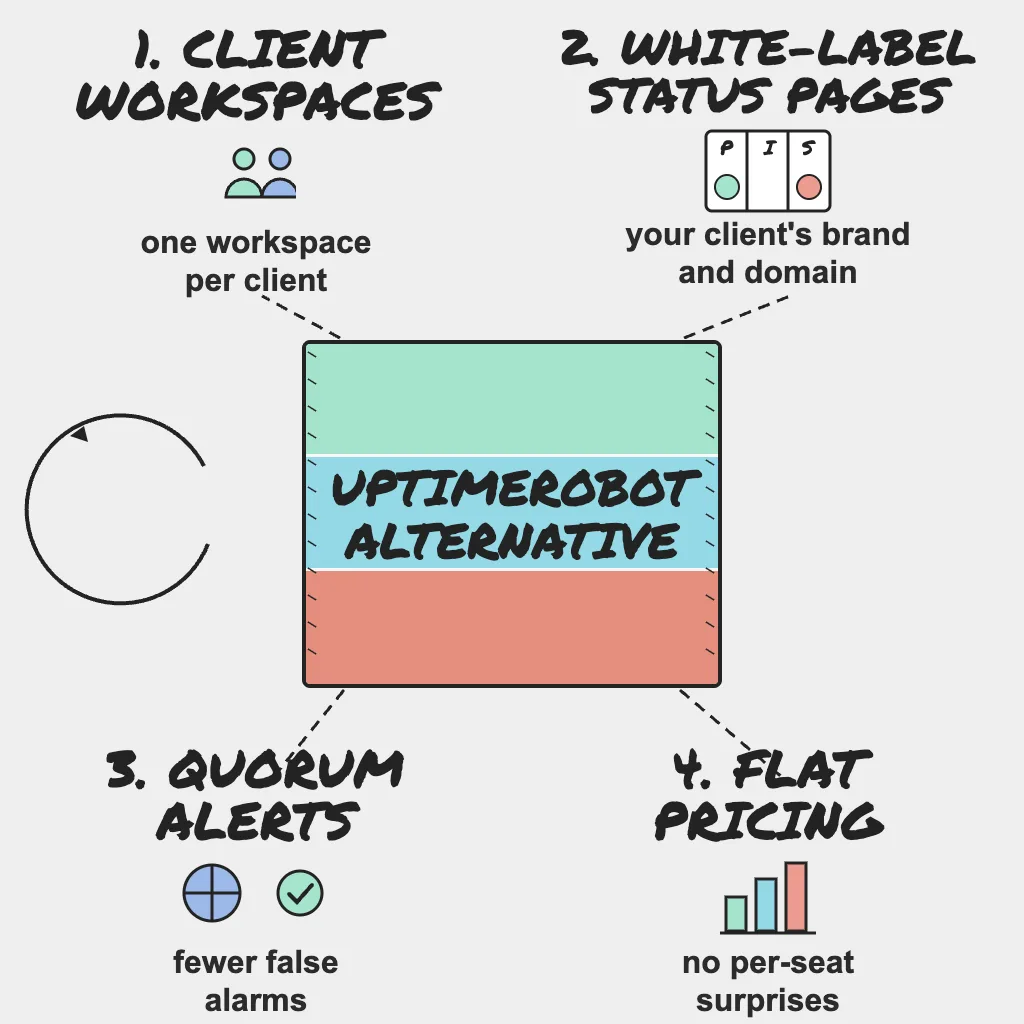
Most agencies do not leave UptimeRobot because it stops working. They outgrow it when the monitoring account starts to look like the agency itself: dozens of clients, several account managers, and a status page promise written into every new retainer. At that point the question changes from "does it ping my sites?" to "does it keep each client's world separate, branded and easy to explain?"
This guide compares the two on what agencies actually sell and support. Every UptimeRobot fact below comes from its own pricing, agency and terms pages in November 2026, linked at the end.
Direct Answer
UptimeRobot is a capable, affordable choice with a generous free plan, fast checks on its higher tiers, and white-label status pages from the Team plan up. PingAlert is the better fit when you want each client in its own workspace (monitors, alerts, incidents and status pages kept apart), quorum-confirmed alerts across regions, and branded status pages with custom domains inside one agency workflow. If you mainly need a large number of inexpensive monitors and your clients are happy with shared tagging, UptimeRobot may be all you need.
Why This Matters
For an agency, monitoring is part of the product you sell. When a client's checkout breaks at 9pm, three things decide how the next account review goes: who knew first, who got paged, and what the client saw. A setup that works for one company's sites gets messy when 30 clients share one alert stream and one dashboard. If you present monitoring under your own brand, the vendor's terms matter too.
What UptimeRobot Does Well
- Generous free tier: As listed on UptimeRobot's pricing page in November 2026, the Free plan includes 50 monitors at a 5-minute interval and one basic status page, and the page describes it as good for "personal and commercial projects."
- Fast checks at modest prices: As listed on UptimeRobot's pricing page in November 2026, Solo is $10 per month on monthly billing ($9 per month billed annually) with 60-second checks, Team is $41 per month ($35 per month billed annually) with 30-second checks, and Scale starts at $77 per month ($65 per month billed annually) with 15-second checks.
- Branded status pages: Team includes 100 white-label status pages and Scale lists unlimited status pages. UptimeRobot's agency page says each page can carry your branding and a custom domain.
- Agency conveniences: The agency page describes organizing monitors by client with tags, notify-only seats so clients receive alerts without dashboard access, bulk import, and monthly uptime reports. It also notes that availability, SSL expiry and domain expiry for one site count as a single monitor.
- Broad alert channels: The pricing page lists email, SMS, voice call, Slack, Microsoft Teams, Telegram, Discord and Google Chat, with webhooks, Zapier and PagerDuty on Team and above.
- Multi-location checks: Location-specific monitoring across four regions (North America, Europe, Asia and Australia), plus a re-check from a second data center in the same region before it alerts you.
Read the Terms Before You Rebrand
Section 14 of UptimeRobot's terms of service, titled "No Resale or Redistribution of Service," states: "In particular, UptimeRobot data, status pages, alerts, and API responses may not be repackaged, white-labeled, or offered to third parties as a standalone or rebranded monitoring service, except under a separately negotiated commercial agreement." The changelog on the same page shows this section was updated on May 26, 2026.
To be fair about scope, the same terms say UptimeRobot "is available for any use, including commercial and business use," and its agency FAQ confirms that agencies can monitor client websites from their own account and share branded status pages. The FAQ adds that reselling UptimeRobot "as your own monitoring platform" is "a separate partnership model." In practice: monitoring client sites is fine; packaging UptimeRobot as your own branded monitoring product needs a separate agreement with UptimeRobot. If your proposals sell "our monitoring service," have that conversation with UptimeRobot first, and whichever tool you choose, confirm its terms fit the way you package the service.
Agency Comparison at a Glance
| Capability | UptimeRobot | PingAlert |
|---|---|---|
| Separate client workspaces | Not listed (clients organized with tags) | Yes (3 on Professional, 10 on Business) |
| White-label status pages | Team plan and above | Paid plans |
| Custom domain status pages | Paid plans | Paid plans |
| Fastest self-serve check interval | 15 seconds (Scale) | About 30 seconds (Professional, Business) |
| Monitoring regions | 4 regions | 3, 5 or 10 by plan |
| Confirmation before alerting | Re-check from a second data center | Quorum across regions |
| Slack, Teams and webhooks | Yes (webhooks on Team and above) | Yes |
| Domain expiry monitoring | Yes | No |
| Free option | Free plan, 50 monitors | 14-day free access when offered |
Where PingAlert Fits Agencies Differently
PingAlert is built around the idea that each client is a separate operating unit, not a tag.
- Client workspaces: Each client's monitors, alerts, incidents and status pages stay separate under one subscription. A portfolio view shows client health and active incidents across all workspaces.
- Monitor templates: New clients start from a template, so check coverage is consistent from day one.
- Quieter, confirmed alerts: Checks run from multiple regions with quorum-based confirmation, notifications are deduplicated, and escalation policies, quiet hours, alert rules and maintenance windows control who gets woken up. If alert noise is your pain, our agency alert fatigue guide goes deeper.
- Status pages that carry your client's brand: White-label status pages with custom domains on paid plans, subscriber notifications, incident timelines and incident templates.
- Deeper checks for client apps: Keyword, API, SSL, DNS, TCP, ping and heartbeat checks, plus multi-step API checks that chain requests for login, cart or checkout flows.
- Plans priced by capacity: Starter is $29 per month (25 monitors, 2-minute checks, 3 regions, 1 branded status page), Professional is $79 (75 monitors, about 30-second checks, 5 regions, 3 client workspaces) and Business is $249 (300 monitors, about 30-second checks, 10 regions, 10 client workspaces). Current details are on pricing.
Field note: Client onboarding should be a paved road: a template, a workspace, a status page and an alert route. If every new client is a bespoke setup, your monitoring quality depends on who happened to do the setup that week.
You can see how this maps to agency operations on the agencies page.
When to Stay with UptimeRobot
- You depend on domain expiry monitoring. UptimeRobot includes it; PingAlert does not.
- Volume per dollar matters most. If you run many simple checks and the free or Solo plan covers you, UptimeRobot is hard to beat on price.
- You want 15-second checks on a self-serve plan. UptimeRobot's Scale plan lists them.
- Tags are enough separation. If your clients never see your dashboard and notify-only seats cover client alerting, you may not need workspaces.
- You already have a commercial agreement with UptimeRobot that covers how you package monitoring for clients.
How to Switch Without a Monitoring Gap
Before you move anything, write down what each client actually needs. The free uptime monitoring requirements checklist turns that into a one-page list you can compare tools against.
- Export your monitors. UptimeRobot's pricing page lists an API for monitor and incident details. Pull every monitor with its URL, type, interval, keyword and alert contacts, grouped by client.
- Recreate checks per client. Create one PingAlert workspace per client, apply a monitor template, then add the client-specific checks. Map keyword monitors to keyword checks, cron monitors to heartbeat monitors, and decide where a multi-step API check should replace several single URL checks.
- Map alert channels. Recreate each client's Slack or Teams channel, email and SMS recipients and webhooks, then add escalation policies and quiet hours so night alerts reach the on-call person only.
- Rebuild status pages. Recreate components in plain client language, apply branding, and prepare the custom domain DNS change but do not switch it yet.
- Run both in parallel for a week. Compare every alert from both tools. Investigate any incident one tool saw and the other missed. When the week is clean, move the status page domains and retire the old monitors.
Reader Questions, Answered
Is UptimeRobot a good tool for agencies?
Yes, for many agencies. Its pricing page lists white-label status pages from the Team plan, and its agency page describes client tagging, notify-only seats and monthly reports. It is a strong choice when budget and monitor count matter most.
Can an agency use UptimeRobot to monitor client websites?
Yes. UptimeRobot's agency FAQ says agencies can monitor client sites from their own account. Its terms restrict repackaging or white-labeling UptimeRobot as a standalone or rebranded monitoring service without a separately negotiated commercial agreement.
Does PingAlert monitor domain expiry?
No. PingAlert covers SSL certificate expiry, DNS, uptime, API, multi-step and heartbeat checks, but not domain registration expiry. If that matters, keep a separate tool or registrar alert for it.
How long should both tools run in parallel?
One week is a sensible minimum. It covers weekday and weekend traffic, scheduled jobs and usually a maintenance window, which is where mapping mistakes show up.
Wrap Up
UptimeRobot is a good monitor. The real question for an agency is whether your monitoring is organized the way your business is: by client, with clear ownership, branded communication and terms that match how you sell. If tags and a shared dashboard still fit, stay. If every client deserves its own space and its own status page, compare plans on pricing and start with the requirements checklist.
Related guides: