During incidents, customers do not need perfect root cause in minute one. They need confirmation, scope, next update time, and consistent follow-through.
Direct Answer
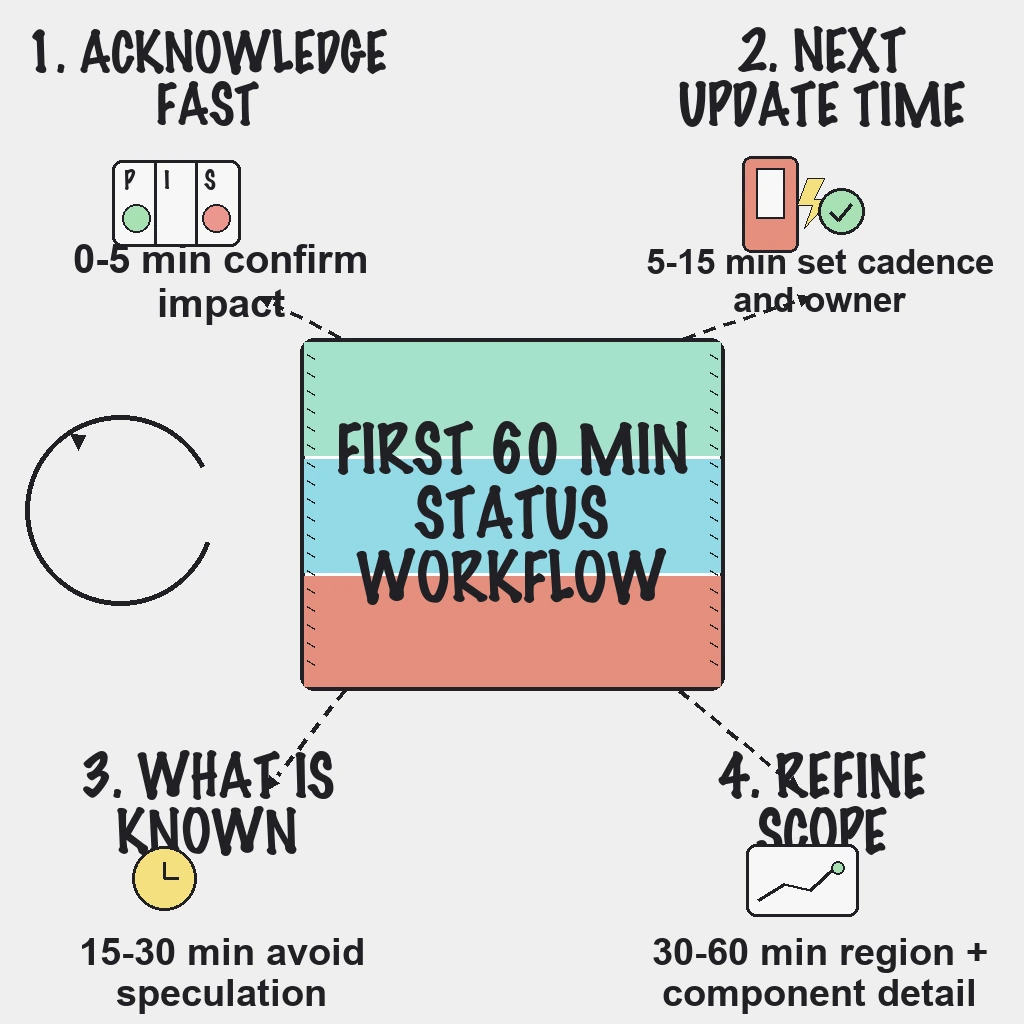
A simple first-60-minute status workflow protects trust and reduces support-ticket spikes:
- Acknowledge quickly
- Define impact clearly
- Commit to timed updates
- Avoid speculation
First 60 Minutes Workflow
0 to 5 minutes
- Acknowledge the issue publicly.
- Mark affected components.
- Share current impact in plain language.
5 to 15 minutes
- Confirm incident lead and communications owner.
- Add customer mitigation guidance when available.
- Publish exact next update timestamp.
15 to 30 minutes
- Post what is known and unknown.
- Avoid speculative root-cause claims.
- Keep update cadence even without major change.
30 to 60 minutes
- Refine impact by region, feature, or customer segment.
- Share workaround status and risk.
- Reconfirm next update time.
For broader communication patterns, use status page best practices for customer trust.
Copy-Ready Update Template
Investigating: We are investigating elevated errors affecting[service]. Next update in 15 minutes.Identified: We identified an issue in[component]and are applying mitigation.Monitoring: Mitigation is deployed and we are monitoring recovery.Resolved: Service is stable. We will publish a follow-up summary with prevention actions.
Incident Communication Checklist
- Separate technical notes from customer-facing updates.
- Assign one person to own external wording.
- Timebox updates to fixed cadence.
- Include customer impact in every message.
- Log all updates for post-incident review.
- Close incident only after a defined stability window.
Post-Incident Checklist
- Publish summary within 24 hours.
- Include timeline, impact, root-cause category, and corrective actions.
- Assign owners and due dates to follow-up tasks.
- Add or tune monitors that improve detection time.
- Update runbooks and escalation rules.
Reader Questions, Answered
Should startups use a public status page?
Yes. Even a simple status page reduces support noise and improves transparency.
How often should we post updates during an active incident?
Every 15-30 minutes, even if investigation is ongoing.
When should we mark an incident resolved?
After service metrics remain stable through a predefined observation window.
Do we need separate internal and external timelines?
Yes. Internal timelines can be technical; external updates should stay concise and customer-focused.
What is the biggest communication mistake during outages?
Waiting too long for perfect explanation instead of publishing timely, clear updates.
Wrap Up
Reliable incident communication is a repeatable workflow, not ad hoc messaging.
Ready to make status communication faster and calmer during incidents?
Related guides:
- Status page workflow for incident management
- Incident management workflow for SaaS
- Incident follow-through workflow