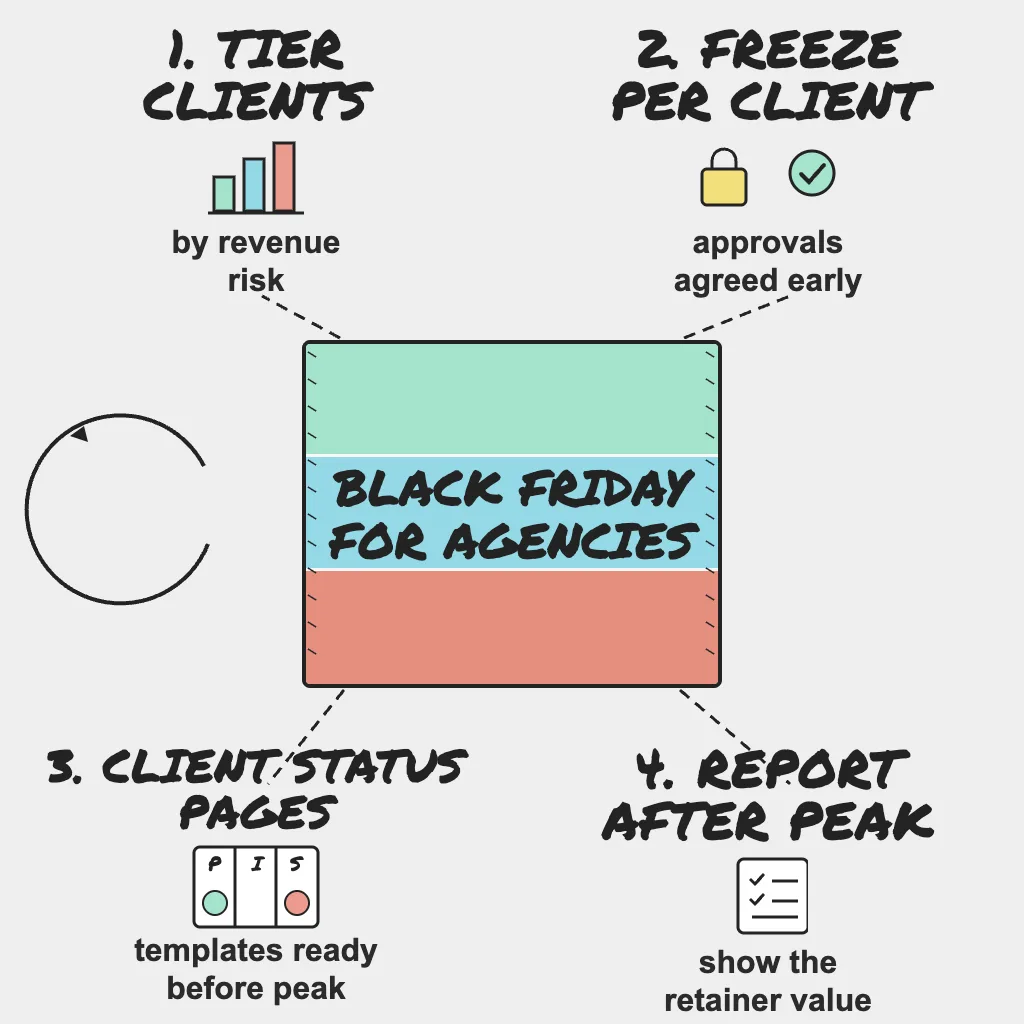
An in-house team gets one Black Friday. An agency gets one per client, all on the same weekend, covered by the same small on-call rotation, with every client quietly assuming their store is the priority. Portfolio readiness is not the single-site playbook run fifteen times. It is a triage problem: decide which clients carry the most revenue risk, give them the deepest coverage and the strictest freeze, and tell every client before the peak what you will watch and how you will reach them.
Short on time? Black Friday falls on 27 November and Cyber Monday on 30 November in 2026. Take the free Holiday Readiness Assessment for a prioritized checklist, then use this playbook to apply it across your client portfolio.
Direct Answer
- Tier every client by revenue risk this week and agree the order internally.
- Set per-client freeze dates with a named client approver and a written definition of a critical fix.
- Apply a monitoring template per client type (store, lead-gen site, SaaS app).
- Give each client a branded status page and pre-agreed update templates.
- Run one on-call rotation across the portfolio with a priority order, backups and decision authority.
- Report per client after the peak and turn findings into next year's plan.
Why This Matters
Peak season concentrates risk for every client at once. Two incidents in the same hour become a realistic scenario, and your on-call engineer has to choose which to work first. Without a priority order agreed in advance, the loudest client wins, not the one with the most at stake.
Agencies also own less than they appear to. Hosting, the commerce platform, the payment provider and many third-party scripts often belong to the client, yet when one of those seams fails, the client calls you. The Holiday Readiness playbook covers the layers for one system; this post covers running that work across many clients with one team.
Step 1: Triage the Portfolio by Revenue Risk
Score each client on four questions: how much of their year depends on the peak, how many third parties sit in their revenue path, how much of the stack you control, and what the contract commits you to. Then tier them.
| Tier | Typical client | Coverage | Freeze | Response |
|---|---|---|---|---|
| Tier 1 | Store or app whose year depends on peak sales | Full template plus revenue flows and heartbeats | Hard freeze, client-approved exceptions | Paged around the clock |
| Tier 2 | Campaign or lead-gen sites tied to promotions | Full template, tighter campaign thresholds | Soft freeze on campaign pages | Paged in extended hours |
| Tier 3 | Brochure or low-traffic sites | Baseline template | Normal process | Next business day unless down |
Field note: The uncomfortable truth is that an agency cannot give every client tier-one attention on the same weekend. Saying so in writing in early November is a service; letting a client discover it at 2am on Black Friday is a breach of trust.
Step 2: Per-Client Change Freezes and Approvals
A portfolio freeze fails when it is one date in an internal calendar. Each tier 1 and tier 2 client needs their own freeze window, a named approver on their side, and a shared definition of a critical fix.
Be explicit about changes clients make themselves. Marketing teams will want new banners, discount rules and tracking tags during peak week. Configuration is change, and every new third-party script is a trust boundary nobody has tested under peak traffic. Schedule approved exceptions inside a maintenance window so planned work does not page anyone. The series post on change freeze and release safety covers rollbacks and kill switches.
Step 3: Monitoring Templates per Client Type
Building coverage client by client in November is how gaps appear. Define one template per client type, apply it everywhere, then add client-specific checks.
| Client type | Template checks | Peak additions |
|---|---|---|
| Online store | Homepage and category pages with keyword checks, cart and checkout as multi-step API checks, payment webhooks, SSL, DNS | Heartbeats on order exports and inventory syncs, tighter response-time thresholds on sale pages |
| Lead-gen or marketing site | Homepage and landing pages with keyword checks, form endpoint as an API check, SSL, DNS | Heartbeat on the CRM sync job, checks on each campaign URL before launch |
| SaaS app | Login and core API endpoints, multi-step checks on signup or billing APIs, SSL, DNS | Heartbeats on billing runs and background jobs |
Keyword checks matter: an error template or empty page can still return a 200, and only a content check notices. Peak traffic is also peak data, so watch back-office jobs with heartbeats before a stalled inventory sync starts overselling.
In PingAlert, each client gets its own client workspace, and monitor templates apply the same baseline quickly. For the full list, see the holiday website monitoring checklist.
Step 4: Status Pages and Pre-Agreed Update Templates
Every tier 1 and tier 2 client should have a branded status page on their own domain before the peak, with components named the way their customers would name them. White-label status pages run under each client's brand, not yours. Agree three things with each client now:
- Who publishes: the agency, the client, or the agency with client approval for anything public.
- What wording is pre-approved: investigating, identified, monitoring and resolved templates, saved as incident templates so the first update takes seconds.
- What is in scope: whether you post when the client's payment provider or commerce platform is the cause.
Step 5: On-Call Coverage Across Clients
One rotation should cover the portfolio, ordered by tier, with a named backup for every shift. Use escalation policies per client workspace so tier 1 alerts page immediately, and quiet hours so tier 3 noise waits until morning. Multi-region confirmation and deduped notifications stop one flaky network path from paging three people.
Decide authority in advance: if the on-call engineer may roll back a tier 1 deploy or enable a maintenance page without reaching the client, get that agreed in writing. The portfolio view shows active incidents across every client, so the engineer sees what else is burning.
Field note: Holiday on-call is a people problem first. A rotation that stretches one engineer across many clients with no backup is not a plan, it is a hope; schedule the rest days after the peak as deliberately as the shifts during it.
Step 6: Client Communication Before, During and After Peak
Before: send each client a readiness note: what is monitored, their freeze dates, who is on call, and what you need from them (launch times, promotion URLs, provider contacts).
During: the status page carries public updates, and the account lead messages tier 1 clients directly about anything customer-visible. A brief daily summary reassures them without opening the incident channel.
After: book the review before the peak starts, so it is on the calendar rather than a favor you have to ask for.
Step 7: Post-Peak Reporting and the Retainer Conversation
The post-peak report is where a quiet weekend becomes visible value. Per client, include uptime by critical service, incidents with time to first client update, near misses (a slow checkout, a late heartbeat, a certificate renewed with days to spare) and the risky changes the freeze held back. See client reporting for agencies for the format and post-incident reviews after the peak for near-miss analysis.
Gaps become proposals: load testing before next season, performance work, wider coverage, a managed status page, or year-round on-call under a retainer. Framed as evidence from the client's own peak, these are conversations about risk, not sales pitches.
Who Owns What
- Account lead: Tiering sign-off, the readiness note, client-side freeze approvals, direct client updates and the post-peak review.
- Delivery/DevOps: Monitoring templates, freeze enforcement, maintenance windows, rollback plans and status page setup.
- On-call engineer: Triage in tier order, first response, rollbacks within agreed authority, templated status updates and the incident timeline.
- Client: Their approver, campaign schedule, provider contacts and any infrastructure the agency does not run, plus agreement on what the agency may do without asking.
Reader Questions, Answered
We are three weeks out. What should we do first?
Tier the portfolio, apply templates to tier 1 clients, test alerts end to end and agree freeze dates. Status pages and readiness notes come next.
Should agencies charge for holiday coverage?
If around-the-clock response is outside the retainer, scope it explicitly. A clear peak-season package lands better than a surprise invoice.
How many client workspaces does PingAlert include?
Professional includes 3 client workspaces and Business includes 10. See pricing for current plan details.
Wrap Up
Clients judge the whole year by one weekend. The agencies that come through well are not the ones with the most heroic engineers; they ranked their clients, wrote down the rules and told everyone in advance. See how PingAlert supports agencies running client portfolios, compare plans on the pricing page, or start with the free Holiday Readiness Assessment.
Related guides:
- Website monitoring for agencies
- Agency incident response playbook
- White-label status pages for agencies
- MSP uptime monitoring playbook
Sources and references
- This post is based on PingAlert's holiday readiness checklist and agency monitoring guidance.
- Google SRE Workbook
- Atlassian: Incident communication