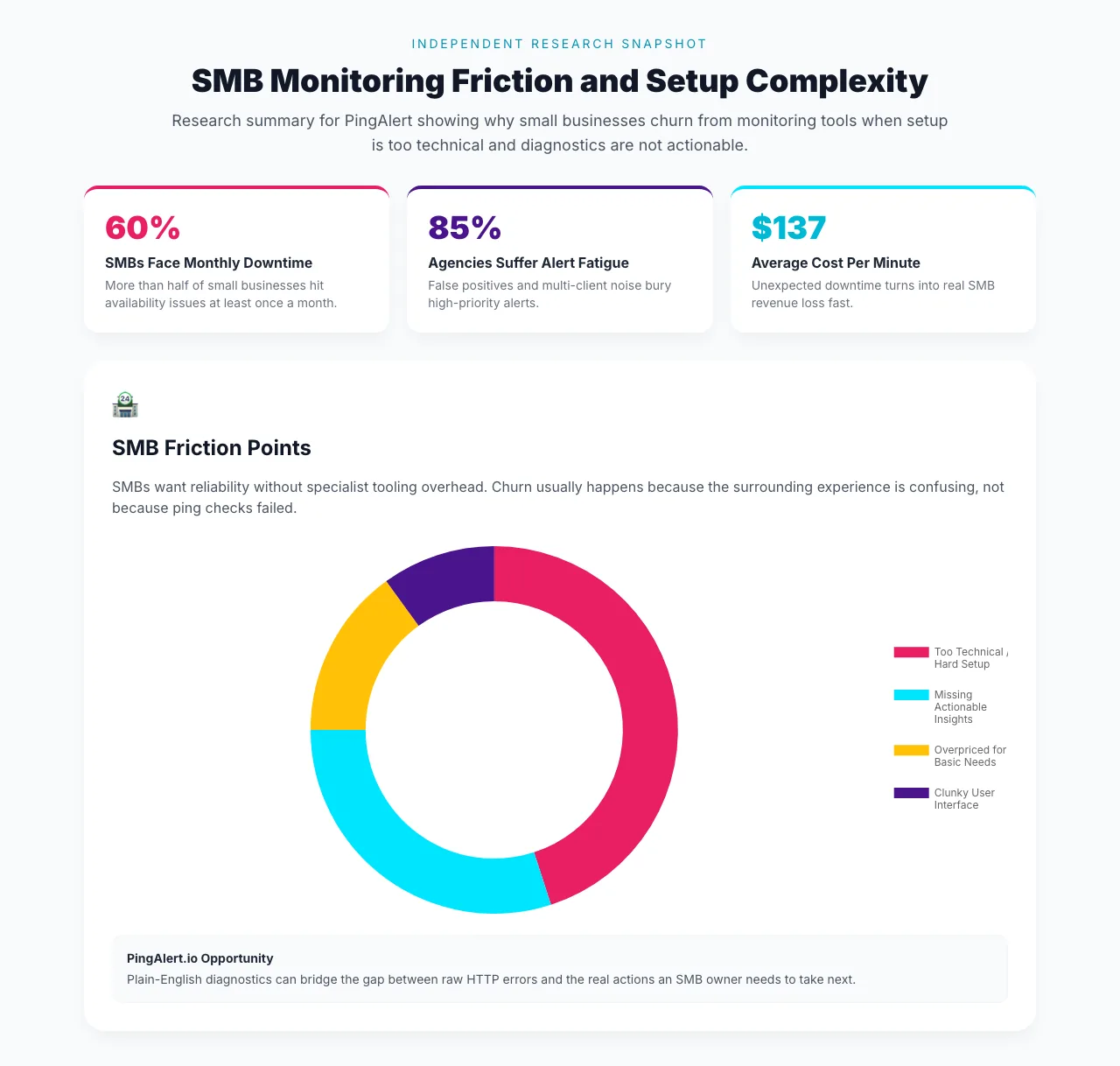
Independent research prepared for PingAlert found that SMB churn in website monitoring is rarely caused by the basic ping check. The deeper problem is that many tools still behave like operator consoles when small businesses need clear answers, fast setup, and obvious next actions.
That same research snapshot also sets the business context: 60% of SMBs in the study face monthly downtime, and the estimated outage cost reaches $137 per minute. When every minute matters, a confusing monitoring product creates a second problem on top of the outage itself.
Research Snapshot: Why SMBs Churn From Monitoring Tools
The SMB chart in the research breaks churn drivers into four categories:
- Too technical / hard setup: 45%
- Missing actionable insights: 30%
- Overpriced for basic needs: 15%
- Clunky user interface: 10%
The headline is straightforward: almost half the churn pressure comes from setup difficulty alone, and another 30% comes from tools that report problems without explaining what to do next.
Why This Matters More Than Another Availability Check
For SMBs, monitoring is usually not a full-time discipline. It is a tool they expect to work alongside everything else they are already doing: marketing, sales, customer support, and operations.
That means they usually want:
- A quick setup path
- A short list of what to monitor first
- Warnings that sound like advice, not infrastructure jargon
- Pricing that makes sense for a smaller footprint
When a tool gets those basics wrong, the product feels heavier than the problem it is supposed to solve.
The Opportunity Hidden in Plain-English Diagnostics
One recommendation in the research is especially strong: plain-English root cause analysis.
The example from the research says it plainly. Instead of showing only HTTP 502, the product should say: "Your hosting provider's server is currently overloaded. We recommend contacting their support."
That shift matters because SMBs do not just want error visibility. They want interpretation and the next likely action.
In practice, plain-English diagnostics should help answer:
- Is this a hosting issue, DNS issue, SSL issue, or app issue?
- Is the problem likely temporary or urgent?
- Who should the business contact first?
- What customer-facing surface is probably affected?
That is the difference between a monitoring tool and an operational guide.
What SMBs Actually Need From Monitoring Products
Based on the research, the most useful SMB-friendly monitoring experience looks like this:
- Fast onboarding: clear defaults for websites, APIs, SSL, and domains
- Actionable alerts: not just "what failed," but "what this likely means"
- Simple interface design: less dashboard sprawl, more direct answers
- Pricing clarity: enough capability for small teams without forcing enterprise-style workflows
This is also why lean guides such as website and API uptime monitoring priorities and small-team alert fatigue playbooks matter. SMB teams need the shortest path from detection to action.
Reader Questions, Answered
What is the biggest SMB barrier to adopting monitoring tools?
Setup friction. The research shows the largest churn driver is tools that feel too technical or too hard to configure for a small business owner or lean team.
Do SMBs really need diagnostics beyond basic uptime alerts?
Yes. Detection alone does not help much if the business still cannot tell whether the issue is hosting, DNS, SSL, or application related. Actionable explanation is part of the product value.
What should an SMB monitor first?
Start with the homepage, core conversion path, login, key APIs, and SSL/domain expiry. A smaller set of high-signal checks usually works better than broad, noisy coverage.
Wrap Up
This research makes one thing clear: SMBs do not leave monitoring tools because availability checks are unimportant. They leave when the product surrounding those checks feels too technical, too vague, or too heavy for the problem at hand.
Ready to set up monitoring that feels clearer, lighter, and more actionable for lean teams?
Related guides:
- Website and API uptime monitoring priorities
- Uptime monitoring for small teams dealing with alert fatigue
- Uptime monitoring runbook for lean teams
- Why uptime monitoring is important for SEO
Sources and references
- Independent research snapshot provided to PingAlert editorial team, March 2026
- Chart visual in this article is reproduced from that research source